
Weight Indicators: Choosing the Brain That Runs Your Scale
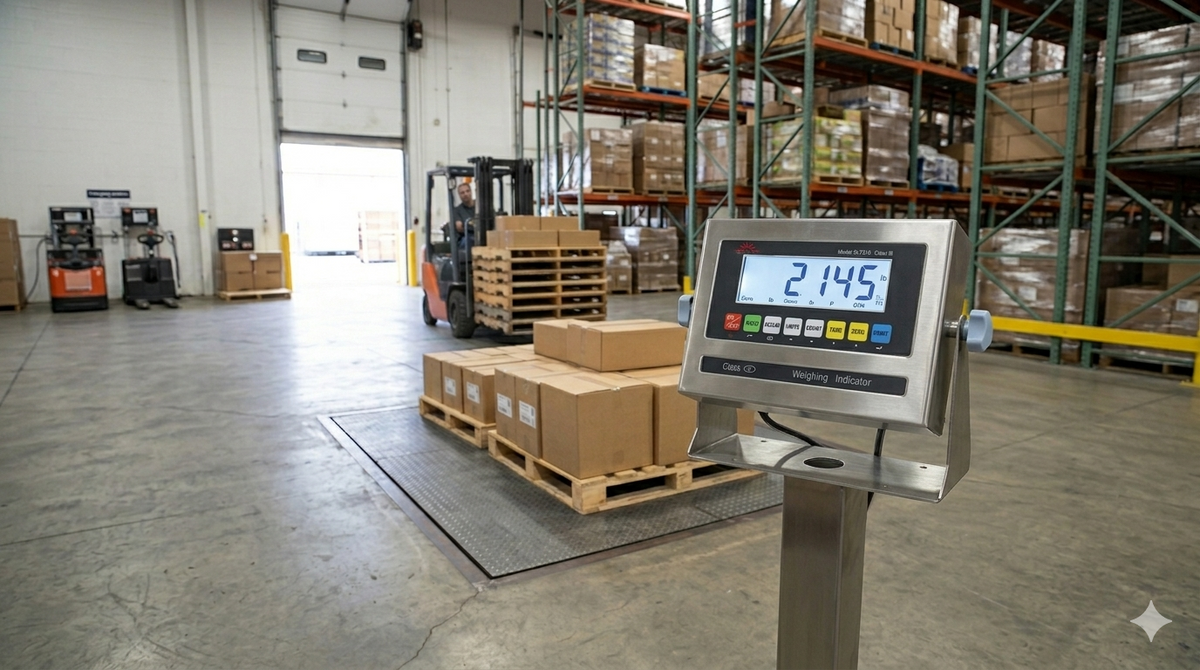
Ask most people what a scale is and they point at the platform. But the platform only generates a signal. The component that interprets that signal, turns it into a number, and decides what to do with it is the weight indicator. It is the brain of the system, and it is where a basic weighing setup becomes a tool that prints tickets, counts parts, checks tolerances, and feeds data to the rest of your operation. Underspecify it and you have a number on a screen. Specify it well and you have a piece of your workflow.
Indicators are also the part of a scale system buyers understand least, which leads to two mistakes. Paying for features that go unused, and discovering too late that the indicator cannot do the one thing the job actually needed. Here is how to choose the right one.
What a weight indicator actually does
At its core, the indicator takes the small analog signal from the load cells, often just a few millivolts, amplifies and digitizes it, applies calibration, and displays a stable weight. That alone is real engineering, since it has to filter out vibration and noise to produce a number that settles quickly and holds steady. Beyond the basics, modern indicators add the functions that make a scale productive. The trick is knowing which of those functions you need.
The features that actually matter
Connectivity and data output
This is the first question to answer. Does the weight need to leave the indicator. If you print shipping tickets, send weights to an ERP or inventory system, or log data for records, you need the right outputs, whether serial, USB, Ethernet, or wireless. An indicator that cannot communicate with your systems forces manual transcription, which is slow and error-prone. Specify connectivity around where the number has to go.
Counting and check-weighing
Many applications need more than a raw weight. Parts counting uses a sample weight to convert total weight into a piece count, which is invaluable for inventory and kitting. Check-weighing compares each weight against a target with over, under, and accept indication, often with lights or a buzzer, which speeds up packaging and quality control. If your process is really about counting or hitting a target, the indicator is where that capability lives.
Display and usability
An indicator earns its keep in daily use. A bright, readable display visible across a busy floor, simple tactile keys that work with gloves, and an intuitive menu all reduce errors and training time. The fanciest feature set is wasted if the operator cannot read the screen or fumbles the keypad.
Power and mounting
Where and how the indicator runs shapes the choice. AC power suits a fixed station. Rechargeable battery is essential for portable scales and remote points without an outlet. Mounting matters too, whether desk, wall, column, or a remote position away from a washdown zone. Match the physical setup to how the scale is used.
Intrinsically safe indicators for hazardous areas
Some environments add a requirement that overrides everything else. Safety. In areas with flammable vapors, combustible dust, or volatile chemicals, such as grain handling, fuel and solvent operations, paint and coating plants, and many chemical processes, ordinary electronics are a potential ignition source. An intrinsically safe indicator is engineered and certified to operate without producing enough energy to ignite the surrounding atmosphere. In a classified hazardous location, this is not optional and not a place to economize. The indicator must carry the proper certification for the area classification, full stop.
If any part of your operation involves a hazardous classified area, identify that before you shop, because it narrows the field to indicators specifically rated for it.
Matching the indicator to the scale and the cells
An indicator is not a universal drop-in. It has to be compatible with your load cells, including their output and excitation, and capable of driving the number of cells in the system. A universal weighing indicator that supports standard load cell outputs gives you flexibility across platforms, which is useful for operations standardizing on one indicator across many scales. When you replace an indicator, confirm it matches the cells it will run, then recalibrate the system so the new brain and the existing platform agree.
A selection checklist
-
Where does the weight need to go: printing, ERP, data logging, or just display
-
Do you need parts counting or check-weighing, not just gross weight
-
Is the display readable and the keypad usable in your real environment
-
AC or battery power, and where the indicator physically mounts
-
Is any area hazardous-classified, requiring an intrinsically safe certified indicator
-
Compatibility with your load cells and the number of cells in the system
The bottom line
The indicator is where a scale stops being a measurement and starts being a tool. Choose it by working backward from what the weight has to accomplish, where it has to go, whether you need counting or check-weighing, how the operator interacts with it, and whether the environment demands intrinsic safety. Get those right and the indicator quietly does its job for years. Treat it as an afterthought and it becomes the bottleneck in an otherwise capable system. The platform measures, but the brain decides what that measurement is worth.
Browse weight indicators at Liberty Scales, including intrinsically safe and universal models, or contact our technical team to match an indicator to your scale.